# Input:
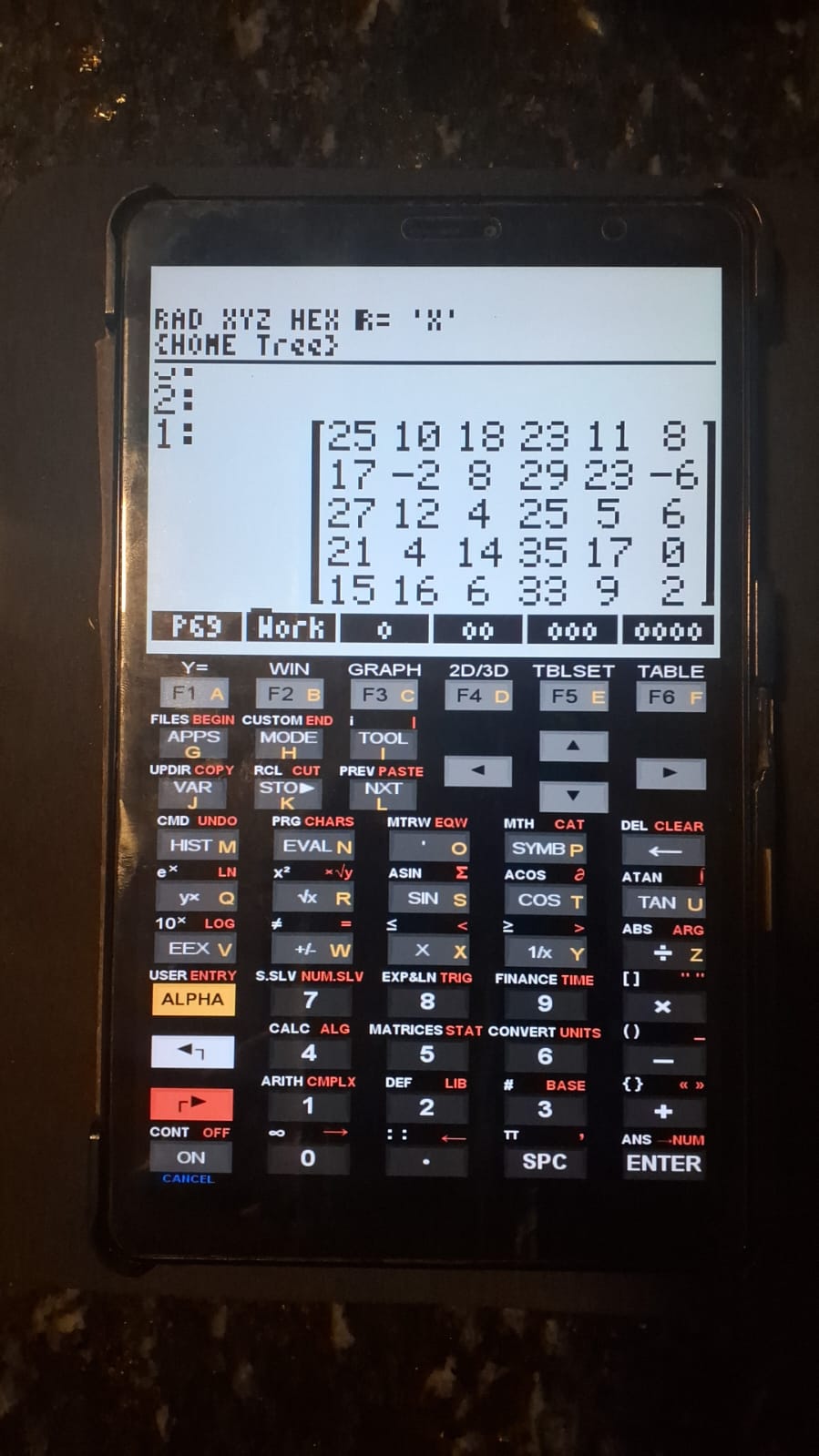
1. Enter a matrix containing the dataset;
   Note: the control group must be placed in the 1st column of the matrix;
2. Run the program "1ANAVA1matrix" from the main page ("hp50");
3. Run the program "Dunnet1matrix".

# Output:
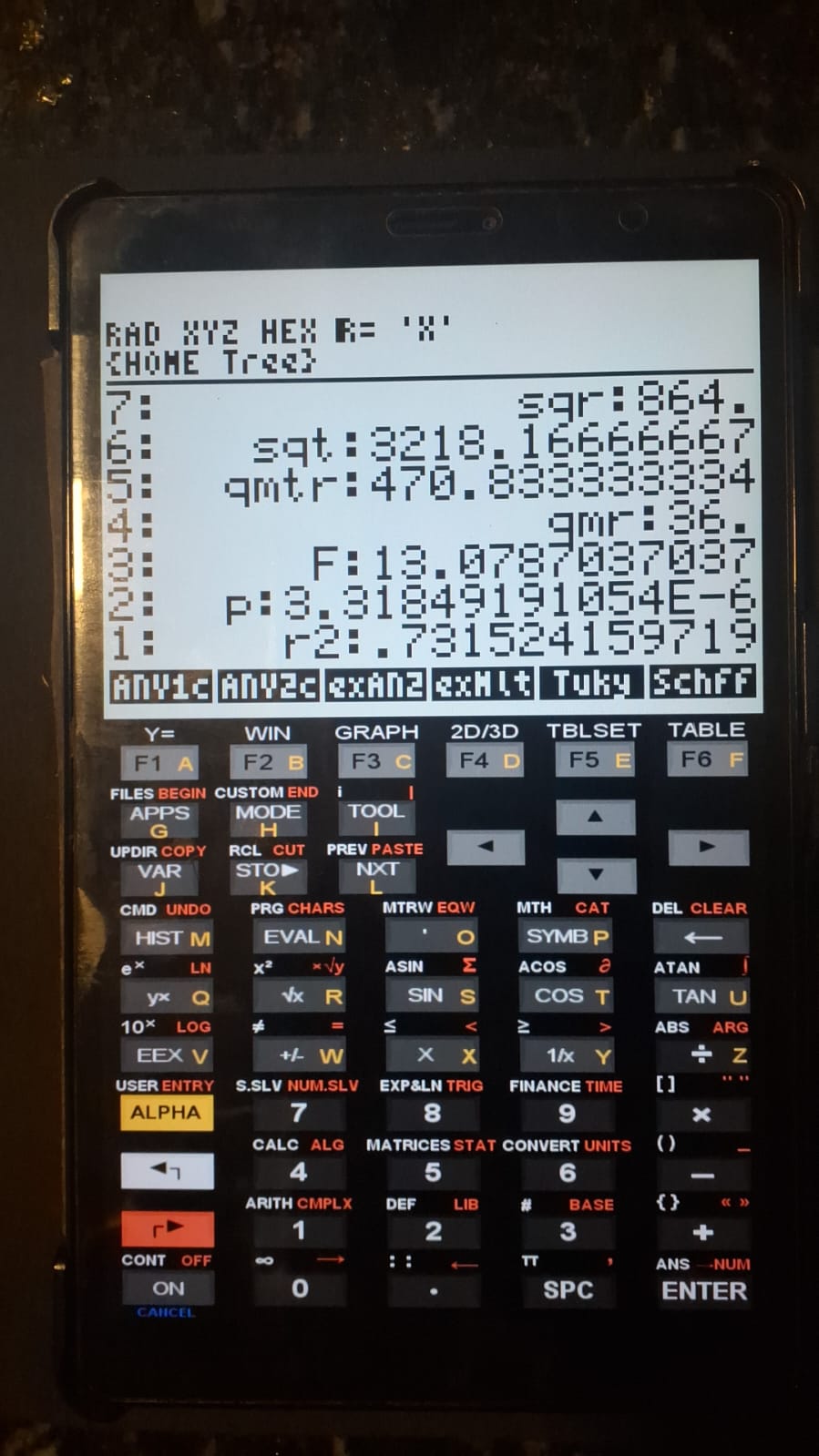
1. Statistical quantities: sqtr, sqt, qmtr, qmr;
2. F-value;
3. p-value;
4. R², coefficient of determination;
5. Results of comparisons between each treatment and the control group
   (positive values indicate significant differences);
6. dcrit5%: calculated value from the distribution;
7. dms: minimum significant difference;
8. "HSD": minimum significant difference value;
9. Matrix containing comparison values for each pair of groups.Multiple Comparisons Using Dunnett’s Test
Dunnett’s test is designed to compare multiple treatments against a control in order to detect significant differences. As with other post-hoc tests, Dunnett’s test is considered conservative and requires a prior ANOVA to be conducted. The test relies on a specific t-table that depends on the number of treatments.
1 Equation:
\[ dms = d \sqrt{\frac{2qmr}{r}} \]
Where:
- dms = minimum significant difference;
- qmr = mean square of residuals;
- d = tabulated critical value (5% significance level).
2 Files:
3 Usage and example
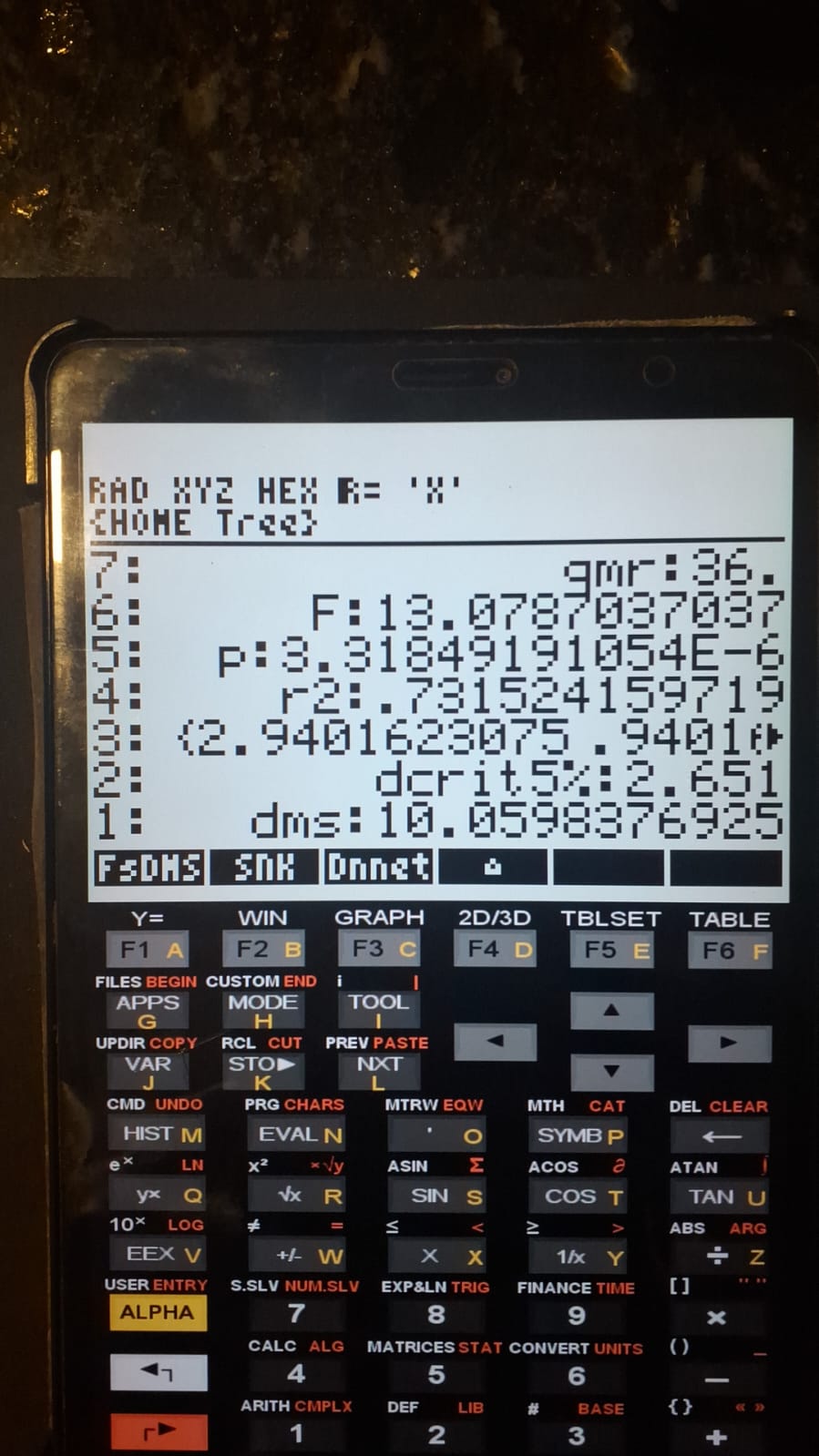
The dms result is identical to that reported in the reference source (Vieira, 2000).
4 References:
- Vieira, Sônia. Analysis of Variance: ANOVA. Atlas Publishing, 2000.